Skip to content

From document to learning experience

Your playbook has more to give.

The useful stuff is already in your playbooks. Bring it to life with music, interactive choices, quizzes and AI roleplay—then make it yours in Studio Editor.

Explore the idea first. No document upload needed.

MAKE IT YOURS IN STUDIO
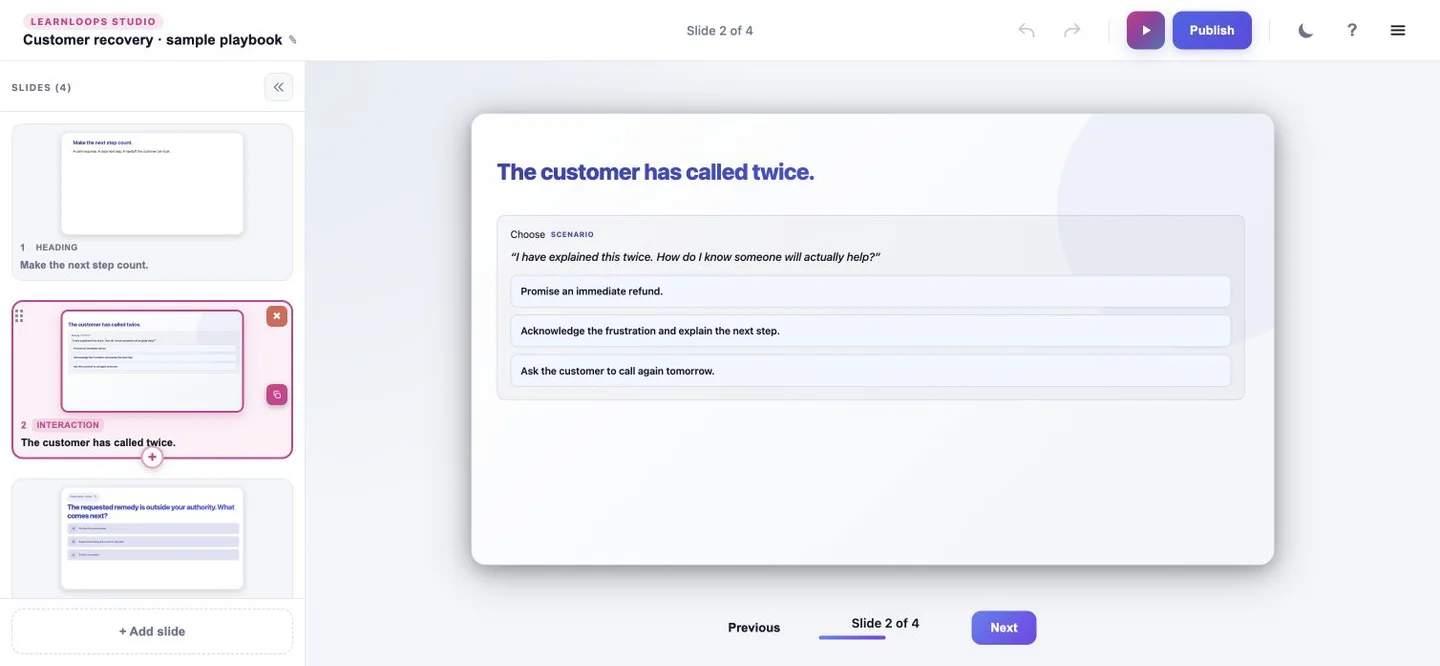
Actual Studio Editor with an illustrative customer-recovery scenario and slide navigation
A rhythm to revisit
Music. Interaction. Practice.
Actual product captures. Studio content is a manually prepared fictional sample; music is a separate existing example.

One playbook. One objective.

Help a customer feel heard—and know what happens next.

The example starts with a customer-recovery playbook: understand the concern, explain the next step and know when to escalate. The source becomes a practical choice and a quiz in our manually prepared Studio sample. See how music and AI roleplay can extend the learning design.

Illustrative sample. The playbook and Studio activities are fictional and manually prepared. Separate existing music and roleplay examples show those formats. No client or learner information is used.

Source passage / illustrative sample

Customer recovery:
the next helpful step.

Audience
Frontline customer support
Objective
Explain a clear next step without making a promise you cannot keep.
Listen without interrupting. Restate the concern and confirm you understand it. Explain what you can do next and when the customer can expect an update. If the requested remedy is outside your authority, involve the duty lead and explain the handoff.
TRY THE COMPLETE PRACTICE SAMPLE

Turn a tense moment into a helpful next step.

Choose a response, check the escalation boundary and flip a card for a phrase to keep. This three-part sample uses the actual LearnLoops learner components with manually authored fictional content.

No account or upload needed. Your choices stay in this page; this sample does not create a learner record or send an AI request. Music and voice roleplay are separate examples below.

Read the complete sample as text

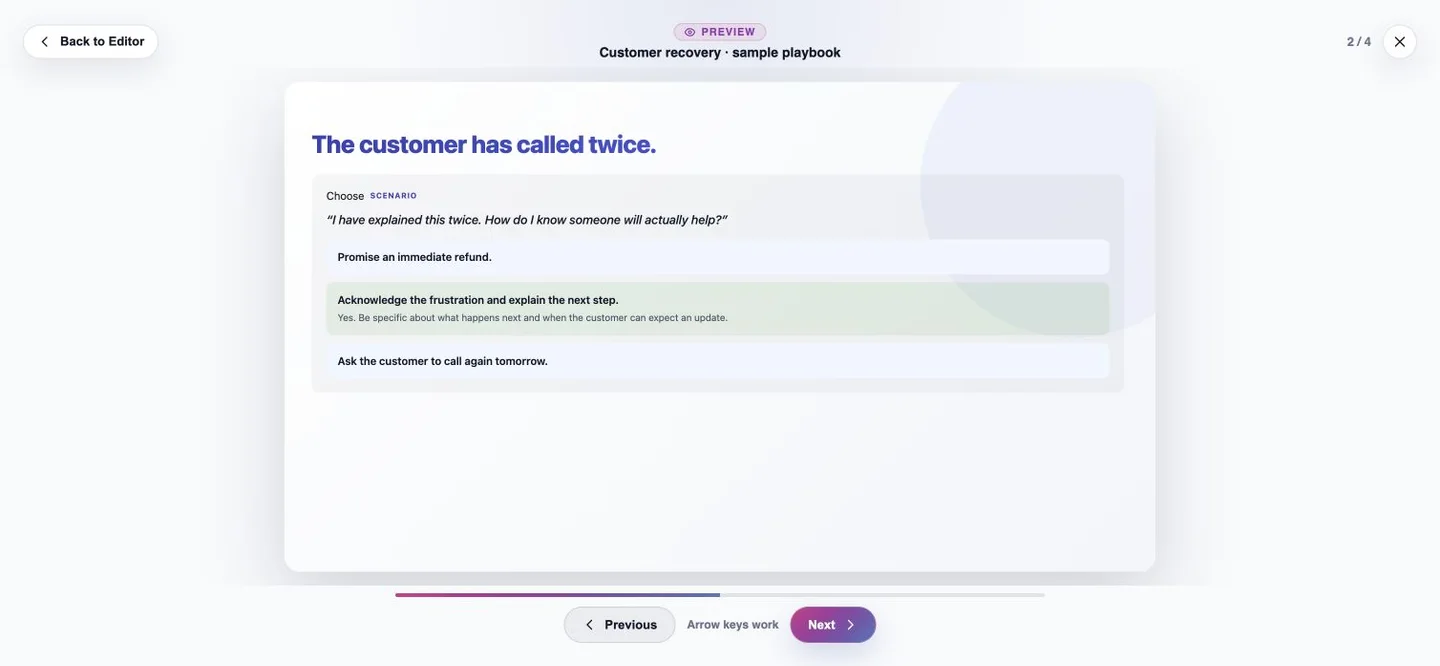
Scenario: The customer has contacted the team twice. Acknowledge the frustration and explain what you can do next and when to expect an update. Avoid promising a remedy outside your authority or asking them to repeat the same call.

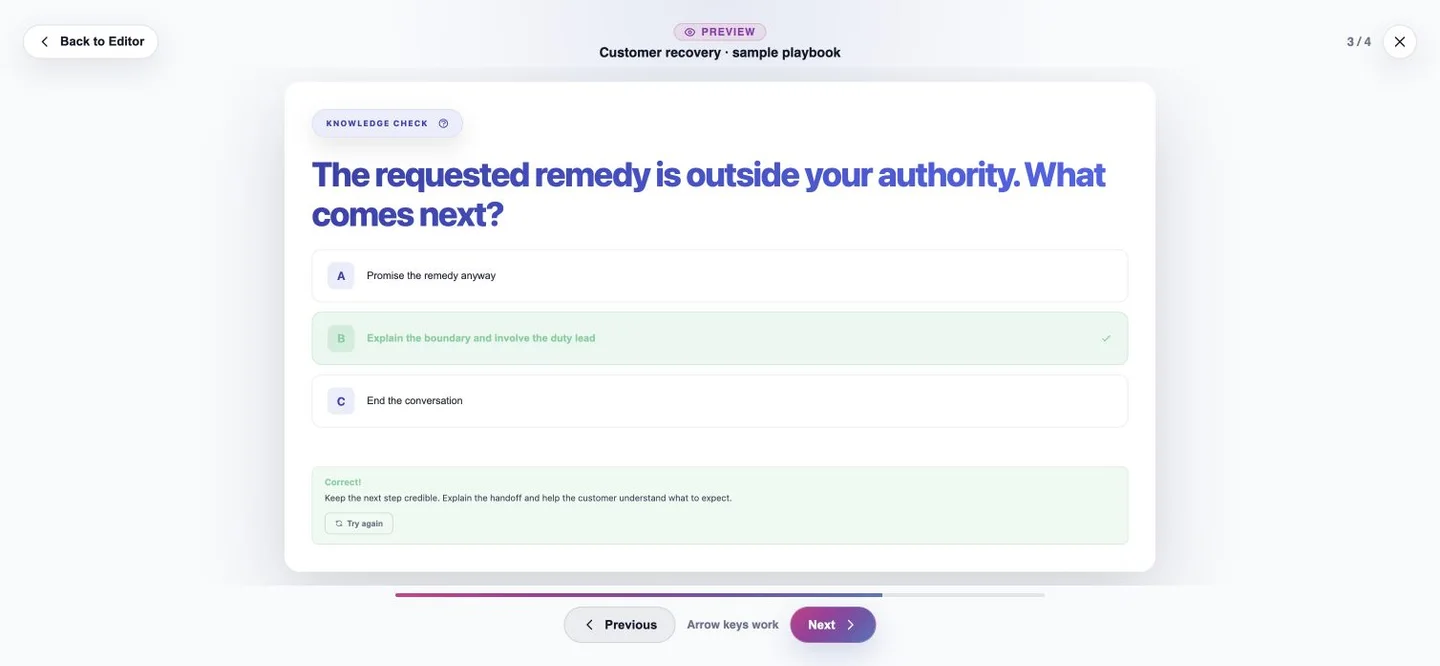
Knowledge check: If a requested remedy exceeds your authority, explain the boundary and involve the duty lead. Keep the handoff clear and credible.

Phrase card: Replace “There is nothing I can do” with “Here is the next step I can help with.”

Remember · explore · check · practice

Give the same knowledge more than one way in.

A melody to revisit. A choice to work through. A conversation to rehearse. Choose the mix that gives your learning objective room to land.

01 / MUSIC VIDEO

Give the idea a rhythm.

Turn key messages into a music-learning experience people can revisit.

Actual existing music video. This silent excerpt is separate from the customer-recovery sample.

Read the silent-preview description

A person interacts with a tablet displaying a colorful waveform. The existing video’s on-screen lyrics appear over the image. This excerpt has no audio; it illustrates the music-learning format.

02 / INTERACTIVE CONTENT

Put a choice in their hands.

Let the learner consider a response and see why it matters.

Actual learner choice and feedback with illustrative customer-recovery content

Actual product capture · manually prepared sample.

03 / QUIZ

Go from “I read it” to “I get it.”

Check a meaningful decision. Give the answer context with useful feedback.

The customer-recovery quiz shows a correct answer and an explanation

Actual product capture · manually prepared sample.

04 / AI ROLEPLAY

Rehearse before it gets real.

Speak through a difficult conversation, then use the debrief to reflect on your approach.

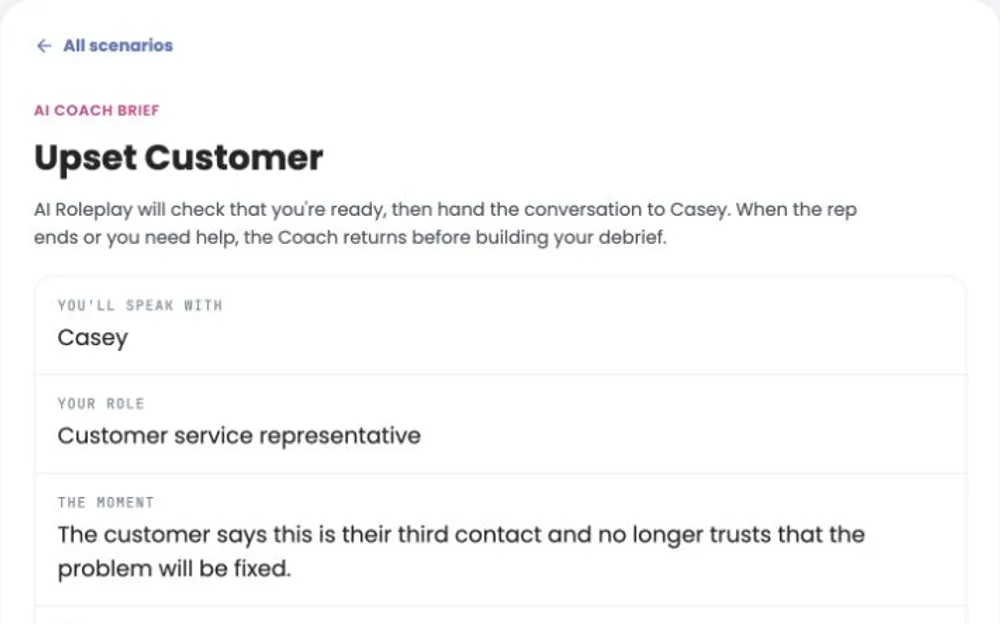
Existing public Upset Customer roleplay brief: speak with Casey as a customer service representativeMeet the upset customer →

Existing public scenario, separate from the illustrative playbook.

Studio Editor + document Remix

Your knowledge.
Your creative control.

Start from reference material. Review the draft, remix the presentation and preview how it feels to be the learner.

Shape the moment that matters.

Refine the language, organize the slides and put a choice in context. Your source gives the direction. You stay in control of the experience.

Studio Editor showing four illustrative customer-recovery slides and an editable scenario
Actual current product interface · manually prepared fictional content. The selected choice and quiz feedback were tested locally. This is not evidence of AI generation.

MEET MIXTAPES

Keep the learning going.
Make the next step count.

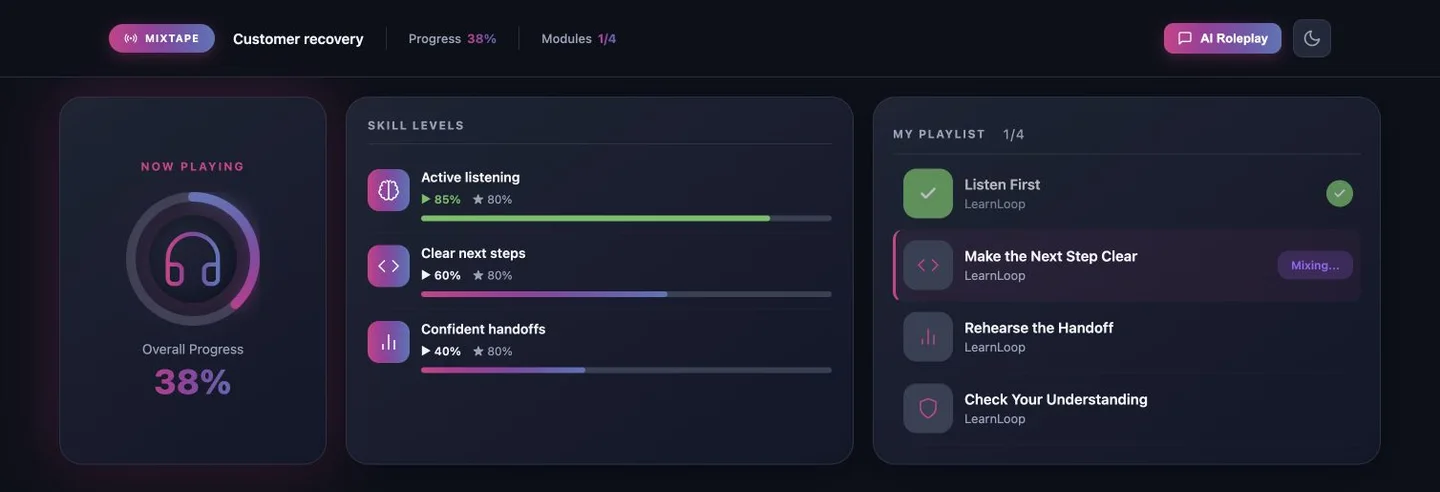
Connect learning into a journey around skills. Mixtapes uses competency gaps and progress to help prioritize what comes next—from a useful refresher to another chance to practice.

Actual Mixtapes interface with a learning playlist and skill levels for active listening, clear next steps and confident handoffs
Actual Mixtapes interface · illustrative playlist, scores and progress prepared locally. Figures are sample data, not learner results.
01 Focus on the skills02 Bring the learning together03 Guide the next practice
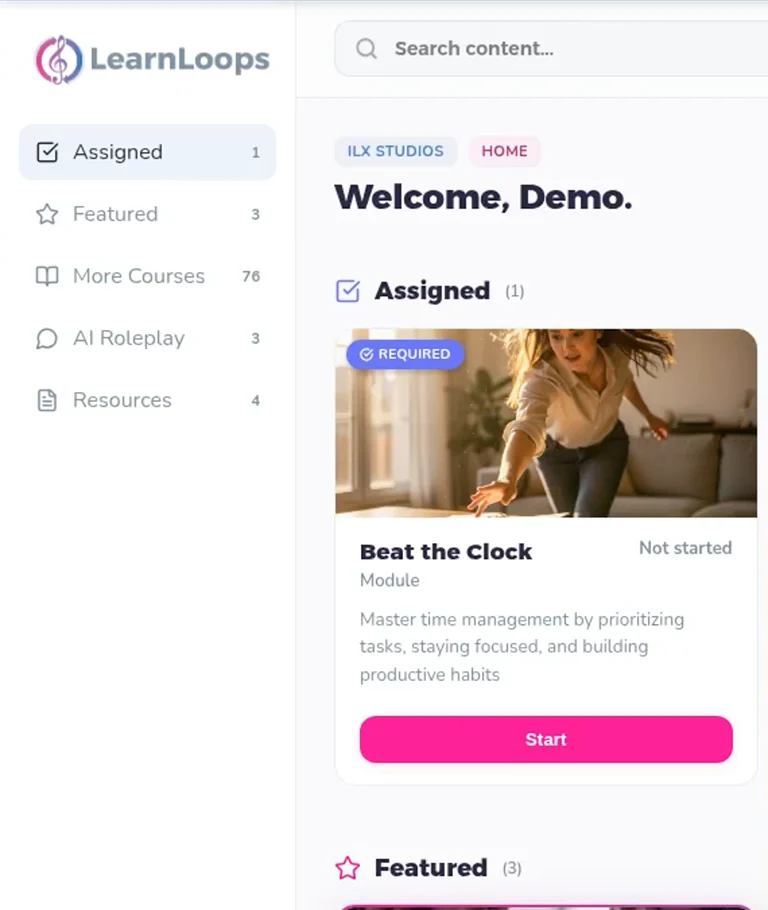
Actual public-safe LearnLoops learner home with the Demo account and assigned Beat the Clock music learning

TAKE A LOOK AROUND

See where the learning lives.

Explore the existing product tour, from the learner home to AI practice and the debrief. Then try the public roleplay demo for yourself.

Open the interactive product tour ↗

This general product tour is a separate example. It does not show the customer-recovery playbook being generated.

Put it in front of your team

Choose the delivery path your learners need.

Review the published learner experience, confirm access and check reporting before rollout.

For updates to assigned content, confirm how your chosen workflow affects existing learner progress before making a change.

Questions, answered

Frequently asked questions

Can I use the result in my existing LMS?

The current Studio SCORM export is a SCORM 1.2 web wrapper that connects your LMS to the published LearnLoops experience. Learners need an internet connection and the course must remain published in LearnLoops. Test tracking and the learner journey in your LMS before rollout.

Can I edit an exported PowerPoint file?

The current PowerPoint export contains rendered slide images and notes. Edit the learning experience in Studio; the exported slide content is not a set of native editable PowerPoint objects.

Can I start with a scanned PDF?

Use a PDF with extractable text. The current PDF import path excludes image-only scans. Check that the important passages can be selected and copied before preparing your source.

Which document workflow does this example describe?

The prompt-plus-reference workflow: describe the training goal and supply source material to ground a Full LearnLoop. This is distinct from faithful PowerPoint conversion and PDF-specific remix. Confirm the accepted file type and size in the upload dialog before choosing your source.

How much of my document is used?

The prompt-plus-reference workflow currently uses up to 16,000 extracted text characters from your document. Start with a focused source and review the draft against the passages that matter. A larger file does not mean every passage will be included.

Bring one training need

See what it can become.

Start with the example, then talk through the authoring, learner access and delivery requirements for your team.

See current plans and trial options · Read our privacy information before sharing your own content.